A WiFi-controlled relay box with two switched outlets, on its own mains supply.
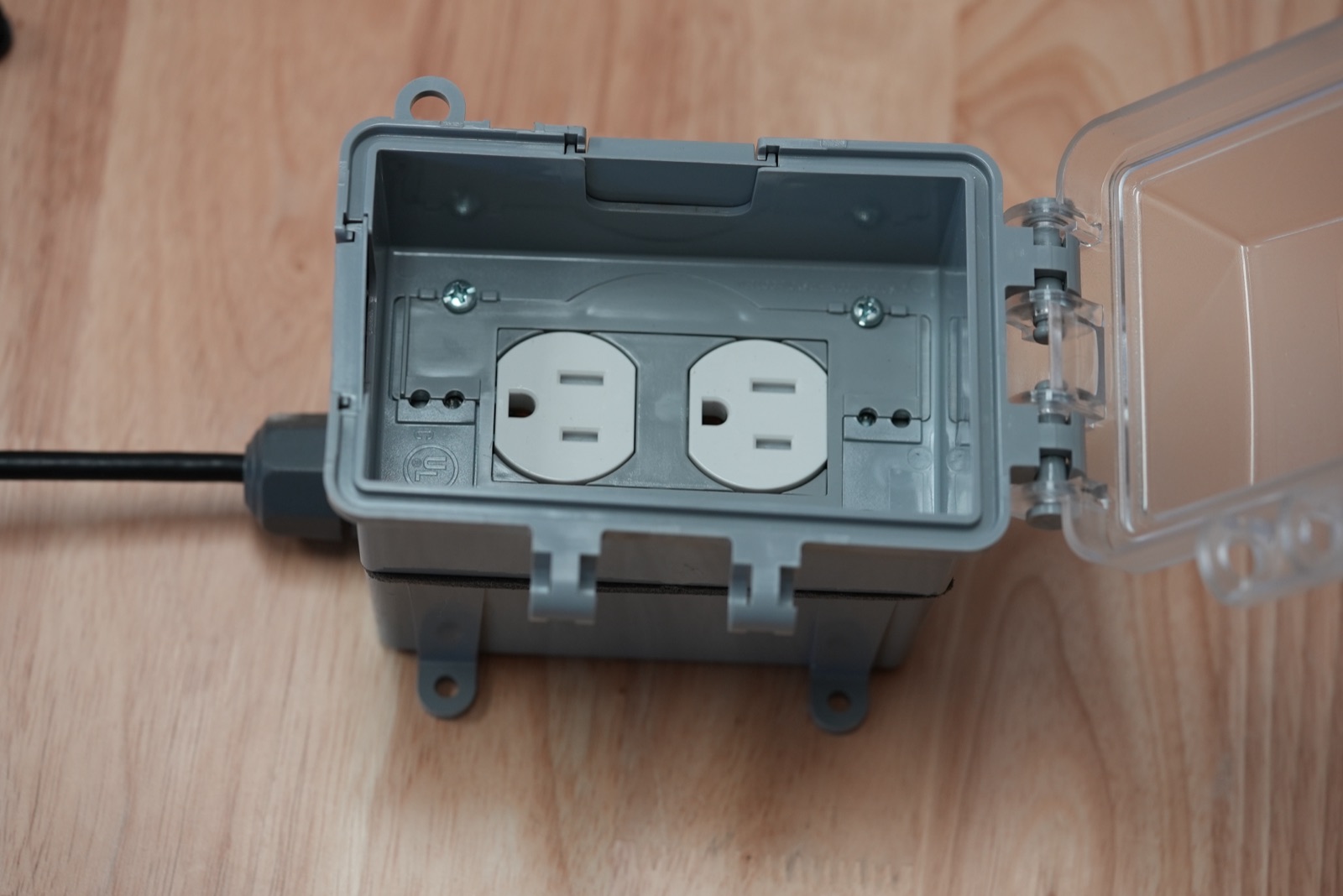
Some ratings are not filled in yet. Check the current datasheet before wiring.
¶ What it does
Switches two plug-in loads, each outlet on its own. It turns both relays off by itself if it loses WiFi for 5 seconds.
¶ Electrical interface
| Interface | WiFi, 2.4 GHz (802.11 b/g/n) |
| Outlets | 2, each on its own relay — standard NEMA 5-15 receptacles |
| Supply | Mains, 120 V AC |
| Contact rating | 8 A per outlet at 120 V AC. This is the relay rating; the receptacles are rated 15 A, so the relay is the limit. |
| Combined load | From datasheet — to be filled in. The relay module allows 16 A across both outlets, but the supply cord and plug may set a lower limit. |
| Load types | Resistive, inductive, and capacitive loads. No motor horsepower rating is published. |
| Standby power | Under 1.4 W |
| Operating temperature | −20 to 40 °C (−5 to 105 °F), 30–70 % RH |
| Enclosure | Plastic box with a hinged clear cover; enclosure rating from datasheet — to be filled in |
¶ Notes
- Its terminals carry line voltage whatever the controller is doing. See Electrical Safety.
- The failsafe is a script that runs on the expander. It checks the expander’s own WiFi connection every 200 ms; after 5 seconds without a connection it turns both relays off. It works with the controller powered down, because it does not need the controller to run.
- It watches the WiFi link, not the controller’s logic. The script fires when the expander loses its connection to the network — controller off, restarting, or out of range. It does not fire if the network stays up while the controller itself stops sending commands.
- The failsafe is installed by the controller when the expander is added. A new or factory-reset expander has no failsafe until a controller installs it.
- The relay module has its own overheating, overvoltage, and overcurrent protection. Do not rely on it in place of a correctly sized circuit breaker.
¶ Maintenance
- Unplug it before opening the box or touching a receptacle. Its outlets are live from its own supply, whatever the controller is doing. See Isolating Equipment.
- Inspect periodically: the supply cord and cable gland for damage or strain, the receptacles for discoloration or loose plugs, and the lid and seal for cracks. Keep the lid closed in wet areas.
- Check the signal. A weak WiFi signal causes dropouts, and each dropout of 5 seconds trips the failsafe. Move the expander or the controller if dropouts recur.
- Test the failsafe after installation and periodically: with a safe load plugged in, cut the controller’s power and confirm both outlets turn off within a few seconds.
- Replacing it: remove the old expander from the controller first, then pair the new one and re-assign its outlets to the control modes.
¶ Using it with a controller
Wiring and configuration live with each controller:
- InteliHive — see Wireless Devices.