What each Pyxis probe shows on the controller, and what you can set on it: the ST-500’s cleanliness check, the CR-300’s metal, the LS-200/202’s tank, and the chemical label on a level probe. For wiring, addresses, and the bus itself, see Modbus RTU Devices. For how each probe works and its ratings, see Instrumentation.
New in an upcoming firmware update. The Pyxis ST-710, CR-300, LS-200 and LS-202, and everything on this page except the basic ST-500 and ST-712 readings, are in development firmware (build v0.1.0-158) and not yet in a release. See Supported Devices.
¶ Opening a probe’s options
Press Enter on a probe’s tile to open its options. A probe offers only the rows that apply to it:
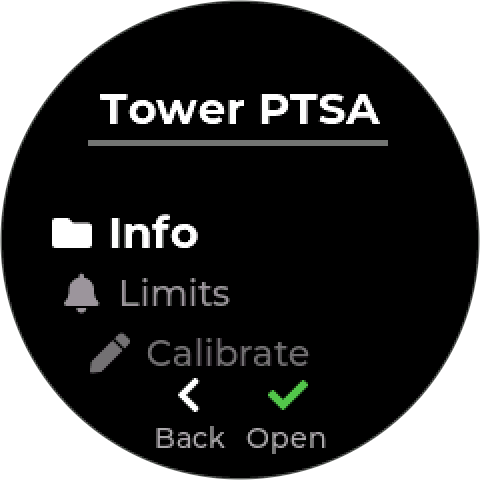
| Row | What it does | Offered on |
|---|---|---|
| Info | Status, type, address, errors, last seen | Every probe |
| Configure | The tank settings | LS-200/202 |
| Label | The chemical the tank holds — see Labeling a level probe | LS-200/202 |
| Metal | The electrode metal — see Choosing the metal | CR-300 |
| Limits | Alarm limits on a reading — see Reading Limits | Every probe |
| Calibrate | See Calibration | ST-500, ST-710, ST-712, CR-300, Sensorex Smart Sensor |
| Used by | The control modes that use the probe | Every probe |
| Address | Moves the probe to another bus address, shown on the right — see Moving a probe to a new address | Every probe except the Legacy Relay Device 6 and NextStep pump |
| Remove Device | Removes the probe and its settings | Every probe |
¶ Pyxis ST-500
A PTSA and turbidity probe. Its page shows PTSA in ppb as the main reading. Below it are turbidity in NTU and the probe’s own Clean or Fouled rating.
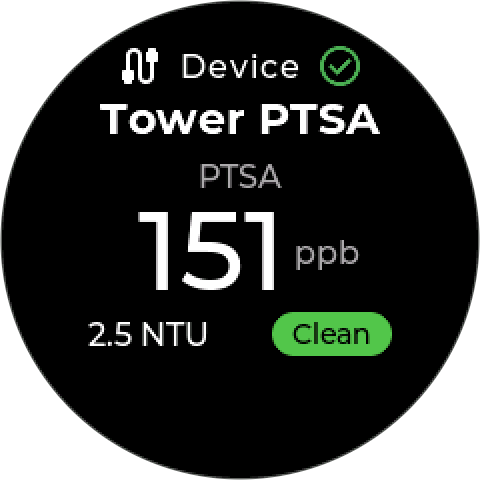
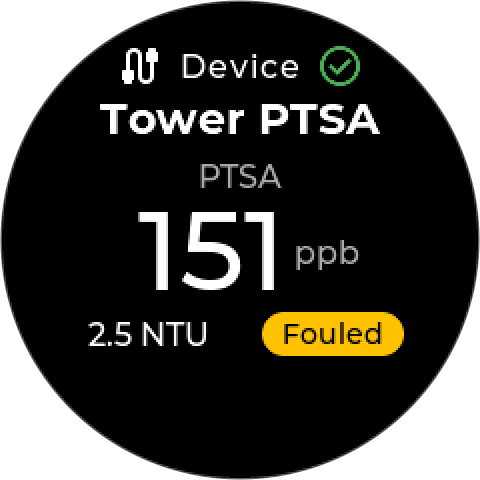
Control modes can use PTSA or Turbidity as their input. The cleanliness count rates the probe, not the water, so it is not offered as an input.
¶ Cleanliness check
The ST-500 measures how clean its own optics are, and reports it as a cleanliness count. The controller reads the count every 30 seconds.
| The count | The controller |
|---|---|
| Above 3000 on three readings in a row (about 1½ minutes) | Rates the probe Fouled and raises Probe Needs Cleaning (340) |
| Below 2700 on three readings in a row | Rates it Clean again and clears the alarm |
The gap between 2700 and 3000 stops a probe near the limit from switching back and forth. The 3000 figure applies to cooling water, which is what the probe normally sits in.
A fouled ST-500 reads low, so a PTSA control mode overfeeds. The alarm does not stop the mode. Clean the probe as soon as you see it, and consider a high feed-time or high-high limit on the mode.
To clean the probe, see Pyxis ST-500 — Maintenance. Calibrate it after cleaning. The calibration checks cleanliness again, in the standard — see Calibrating a Pyxis ST-500.
¶ Starting values for PTSA
| Starts at | |
|---|---|
| Limits | Low-low 50, low 75, high 125, high-high 150 ppb — each off until you switch it on |
| A new Set Point mode | 100 ppb, acting on a falling reading, 10 ppb differential |
¶ Pyxis ST-710 and ST-712
The ST-710 is a pH probe. Its page shows pH as the main reading, with temperature below it.
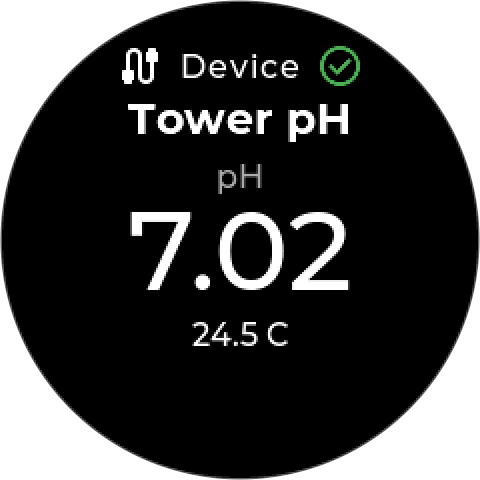
The ST-712 reads pH, ORP in mV, and temperature.
Both calibrate inside the probe: the controller guides you through the probe’s own procedure and stores no correction of its own. The ST-712 asks pH or ORP first. See Calibrating a Pyxis ST-710 or ST-712.
| ST-710 | ST-712 | |
|---|---|---|
| Default address | 11 | 13 |
| Readings | pH, temperature | pH, ORP (mV), temperature |
| Calibration | pH 7, 4 and 10 | pH 7, 4 and 10; or ORP at one standard |
¶ Pyxis CR-300
A corrosion rate probe. The CR-300 reports three readings:
| Reading | Unit | Limits offered |
|---|---|---|
| General corrosion | mpy (mils per year) | High and high-high only |
| Localized (pitting) corrosion | Index, 0–100 | High and high-high only |
| Temperature | °C | All four |
A corrosion rate is never too low, so the controller does not offer low or low-low limits on the corrosion readings.
¶ Choosing the metal
The probe scales its reading to the metal of the electrodes you fit, using an alloy factor stored in the probe. When you add a CR-300, the controller reads the factor the probe already holds and asks you to confirm the metal. It suggests the metal that factor matches, or Mild Steel if the factor matches none of them. Your choice is written to the probe before the probe is saved.
| Metal | Alloy factor | The probe is named |
|---|---|---|
| Mild Steel | 1.00 | Mild Steel Corr |
| Copper | 2.00 | Copper Corr |
| Admiralty Brass | 1.67 | Adm Brass Corr |
| Aluminum | 0.94 | Aluminum Corr |
| Stainless 304 | 0.89 | SS304 Corr |
To change it later, open the probe’s options and choose Metal. Change the electrodes first: a mild steel reading with copper electrodes fitted is wrong by a factor of two. The controller writes the factor to the probe again whenever the probe reconnects, so a replacement probe picks it up.
The check-cap calibration uses the metal to suggest its standard — see Calibrating a Pyxis CR-300.
¶ Pyxis LS-200 and LS-202
The LS-200 and LS-202 are ultrasonic level probes that mount on a tank top. They share a factory address (66) and one row in Add Device, LS-200/202 Level. Once the probe answers, the controller reads its product number to tell which model it is. If it cannot, it asks you.
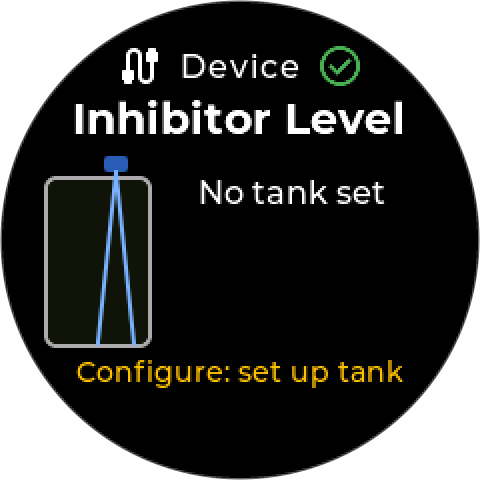
The probe measures the distance down to the liquid. To turn that into a level and a volume, the probe needs the tank’s size. Until you enter it, the page shows No tank set and no readings.
¶ Tank settings
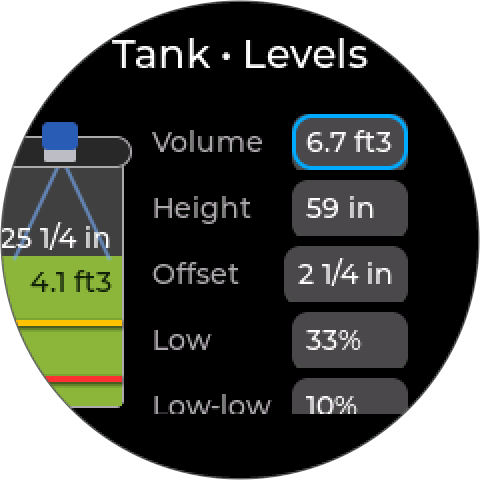
Open the probe’s options and choose Configure. These are the same Tank • Levels settings an IO-Link level sensor uses — see Tank settings.
| Setting | What it is |
|---|---|
| Volume | Tank capacity when full |
| Height | Usable depth, from empty to full |
| Offset | Distance from the probe’s face down to the full level |
| Low | Low level, as a percentage of height |
| Low-low | Low-low level, as a percentage of height |
Volume assumes a straight-sided tank: half the height is half the volume. For a horizontal or shaped tank, ask Pyxis support.
When you save, the controller writes the tank’s size into the probe and waits for the probe to confirm each value. It then saves the settings and sets the Level reading’s low and low-low limits to match. If the probe does not confirm, nothing is saved. Readings are shown in the units under Settings → Default Units.
Keep the liquid at least 4 in (10 cm) below the probe’s face. Closer than that is the probe’s dead zone. Allow for it in the Offset. See Pyxis LS-200.
The controller keeps the tank settings. It writes them to the probe again whenever the probe reconnects, so a replacement probe arrives set up.
¶ The level page
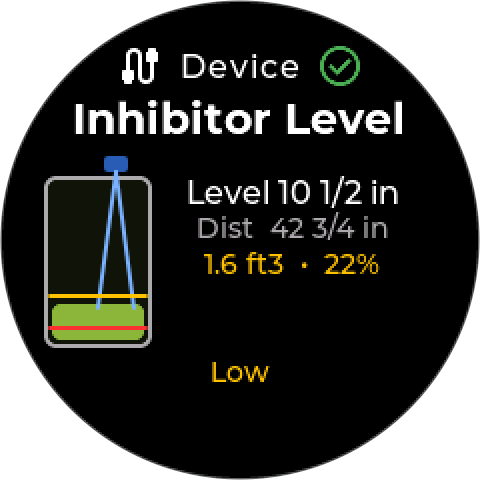
The page draws the tank with its low and low-low lines, and shows:
- Level, and Dist: the distance from the probe down to the liquid
- Remaining volume and percent full, colored against the low and low-low levels
- A status line: Level OK, Low, or Low-low
These are the same thresholds the limit alarms and interlocks use, so the page, the alarms, and the interlocks never disagree.
¶ Tank levels as interlocks
The Low and Low-low levels can hold a control mode off, so a pump stops before it draws its tank dry. Add them from the mode’s interlock step, where they appear as Tank low and Tank low-low. See Interlocks.
¶ Labeling a level probe
A level probe can be labeled with the chemical its tank holds. An acid tank’s probe then reads Acid Level, next to the Acid Pump that doses from it. Open the probe’s options, choose Label, and pick one:
No label · Inhibitor · Oxidizer · Non-Oxidizer · Oxygen Scavenger · Acid · Caustic
The controller builds the name, so it cannot be typed. A name that would not fit the tile is shortened in steps, only as far as it needs:
| Label | Name |
|---|---|
| Inhibitor, Oxidizer, Acid, Caustic | Inhibitor Level, Acid Level, … |
| Non-Oxidizer | Non-Ox Lvl |
| Oxygen Scavenger | O2 Scav Lvl |
| No label | The model name |
The same name appears on the tile, in the device lists, and in the probe’s alarms, for example Inhibitor Level Low-Low. Changing the label does not affect the control modes or interlocks that use the probe.
¶ Related
- Modbus RTU Devices: wiring, bus power, addresses
- Supported Devices
- Calibration
- Reading Limits
- Interlocks
- Error 340: Probe Needs Cleaning
- Modbus Register Map