What happens when the InteliHive is powered for the first time, and how to take it through setup — from a phone, or on the controller itself.
Before you power up, finish Wiring and its pre-power checklist. Read Safety: once setup completes, the controller can start pumps and open valves on its own.
¶ First power-up
- Switch on the 24 V supply.
- The display lights, and the status lights play their start-up sequence — a soft white wake, then a rainbow chasing across all three while the controller starts. See Starting up.
- When the lights settle, Power should be solid green — if it is blinking red, stop and check the supply (Error 600). WiFi blinks blue: the unit is waiting to be set up.
- A new controller opens on Welcome — Let’s get you running.
Nothing is switched during setup. The controller writes nothing and runs no control mode until you confirm the final step.
¶ Choosing how to set up
The Setup Method screen offers two ways:
| Choice | How it works |
|---|---|
| WiFi Setup — Scan QR Code | The controller shows a QR code. Scan it with a phone or tablet to join the controller’s own WiFi network, and the app takes you through setup with a bigger screen. The WiFi light blinks blue while the code is shown, and turns solid blue once the phone is connected. |
| Offline Setup — Setup on this screen | Do everything with the four buttons on the controller. The unit runs without WiFi — see Running without WiFi. You can switch WiFi on later. |
| Resume setup — Keep phone progress | Shown instead of Offline Setup when a phone has already done part of the setup. Carries on with the buttons from the next unfinished step. |
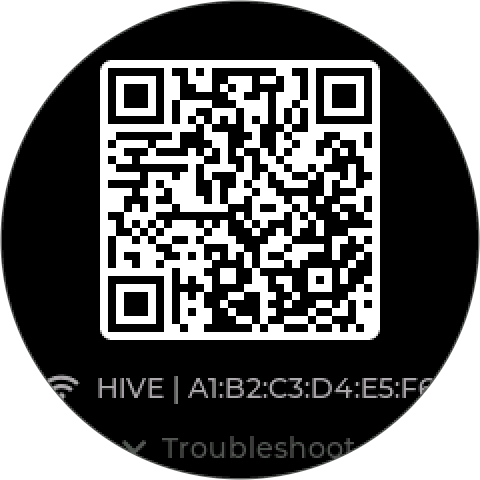
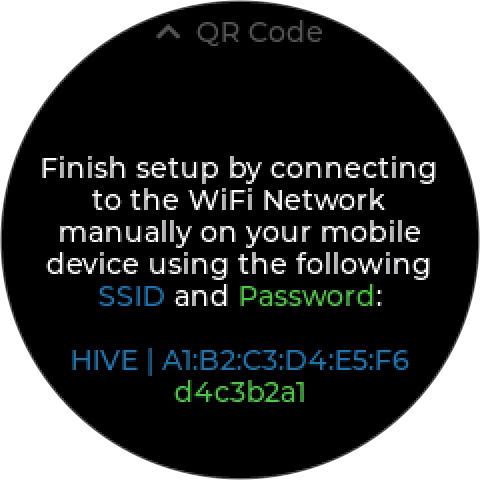
If the phone cannot scan the code, press Down (Troubleshoot). The controller shows its network name and password as text, to join by hand.
The steps:
- WiFi — the site network, for the cloud and network time. WiFi Setup only: Offline Setup does not ask for it.
- Time zone and Set the clock — needed for schedules and logs.
- Pick profile — Boiler or Custom. See Profiles.
- Bind devices — which probe and which output do each job the profile needs.
- First loop — the profile’s starting control mode.
Then Review setup, and Save.
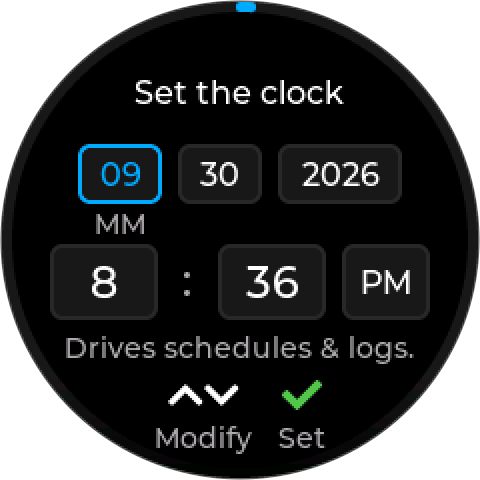
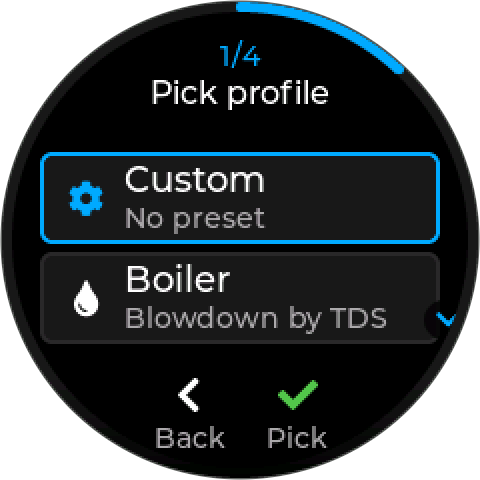
You can back out before the final step. Nothing is saved until the review screen, so leaving part-way leaves the controller as it was.
¶ If the phone disconnects
If the phone leaves the controller’s network part-way, the controller waits briefly, then shows Phone disconnected with two options:
- Continue here — carry on with the buttons, from the next unfinished step, keeping everything the phone already did.
- Rescan QR — show the QR code again, and scan it.
A brief walk out of range resumes by itself when the phone reconnects.
¶ Profiles
| Profile | What setup asks for |
|---|---|
| Boiler — Blowdown by TDS | A conductivity probe and a blowdown valve, then creates the blowdown control mode with the boiler defaults |
| Custom — No preset | No roles. Setup finishes without a control mode; add your own under Settings → Control Modes |
Cooling Tower, Closed-loop, and Repressurizer are listed too, marked Coming soon. They cannot be picked yet.
The profile locks until a factory reset. Pick carefully. Control modes stay editable afterwards — only the profile is fixed. If the unit was profile-locked at the factory, setup skips this step.
¶ Device roles
The Bind devices step. A role is a job in the profile — conductivity probe, blowdown valve. Setup lists the devices that can do each one; pick one per role. Required roles must be filled to create the profile’s control mode. If a device is not connected yet, you can Save anyway: setup keeps a disabled placeholder mode, and Setup Incomplete (500) reminds you until the role is filled.
¶ After setup
The controller starts running its control modes. For the first 30 seconds it waits for devices to connect, showing Starting… — see What every mode does.
Check:
- Power solid green.
- WiFi solid green — online and added to an account. Blinking green means it still needs adding to an account; blinking amber means it is on WiFi but not reaching Inteliverse.
- Health breathing green. Amber or red means an alarm — open the alarm list.
- Every device shows a plausible reading.
- The control mode’s output does what you expect. Test with the process in a safe state.
¶ Alarms that are normal on a new unit
| Code | Why | Clears when |
|---|---|---|
| 521 Time Not Set | The clock has not been set yet | Network time arrives, or you set the clock |
| 502 Cloud Setup Pending | Never connected to Inteliverse | The first cloud connection |
| 500 Setup Incomplete | A required role was left empty | The role is assigned |
¶ Changing setup later
- Settings → Setup Wizard runs setup again on a configured unit (shown on the Boiler and Closed-loop profiles only; Custom has no roles). It keeps the profile, shows your current device roles as the starting point, and rebinds the existing control modes rather than creating new ones.
- Settings → Control Modes adds or edits modes directly.
- Settings → Factory Reset clears everything, including the profile lock.
¶ Related
- Commissioning Record — a printable sheet to fill in at setup
- Wiring
- What the LEDs Mean
- Control Modes
- Error codes